How can your phone help you with your Parkinson’s?
Did you know that there are apps and features built into your smartphone that can help you manage your Parkinson’s?
Tech can be a powerful tool when it comes to managing your Parkinson’s symptoms and making sure you get your medication on time. While a desktop computer is great, the pocket-sized design of a smartphone makes it much easier to take your favourite apps and features on the go.
While there are plenty of great third-party apps and websites listed in our Tech Guide catalogue here, this article will focus on the apps and features that come built-in to your smartphone, whether you’re using an iPhone, a Samsung, a Google Pixel or something else entirely.
Medication
When it comes to built-in medication trackers, iPhone users can find one in the Apple Health app, while Samsung users will find their own by opening up the Samsung Health app.
These features make it easier to keep track of your different medications. You need to upload each one along with key information such as the dosage, the time it should be taken and what the medication looks like. From there, you will receive reminders when it’s time to take each medication and track when you do take them in the app.

Image: Samsung Health app
Both apps can also warn you of potential drug interactions and side effects, giving you further insight into how your different medications could interact with each other.
For those without an iPhone or Samsung phone, you can always use your phone’s standard reminder feature or even the alarm clock app to schedule medication reminders and ensure you never miss a dose.
Exercise
One of the best ways to manage your Parkinson’s symptoms is to stay fit. Not only can being active for 2.5 hours a week have a positive impact on your body, but it’s also great for your mental health.
Whether you’re attending a local exercise class, lifting weights over Zoom or walking the dog, your smartphone can provide invaluable insight into your workouts.
Almost every smartphone comes with a dedicated health app, from the aforementioned Apple Health and Samsung Health apps to the Google Fit app and Xiaomi’s Mi Fitness. These apps are generally capable of tracking your steps, distance and calories burned from your pocket. You can also manually enter information about your workouts or capture more in-depth information automatically using a smartwatch or fitness tracker.
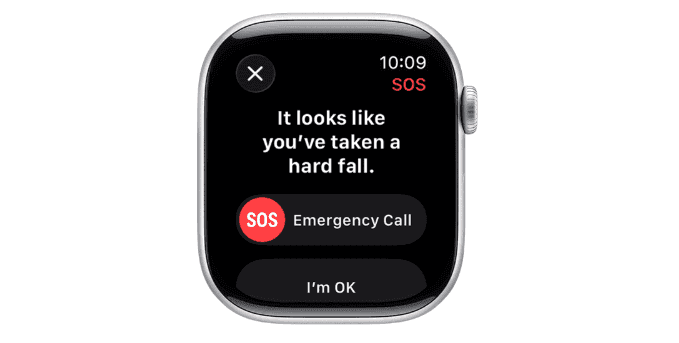
Image: Fall Detection on the Apple Watch
Falls
One smartphone feature that often requires the addition of a smartwatch is fall detection. This is because many smartwatches include sensors which can alert your loved ones and emergency services if you take a fall. While this means it isn’t strictly a phone feature, we did feel this one was important to touch upon considering how high the risk of falls can be for people with Parkinson’s.
The moment a fall is detected by an Apple Watch, a countdown begins on the screen. This gives you a second to cancel the alert if it’s a false alarm or you don’t need any assistance. If the countdown is left to hit zero, your location will be sent to emergency services and your emergency contacts notifying them of your fall.
The Samsung Galaxy Watch and Google Pixel Watch follow a similar process, sending your location to your emergency contacts and automatically calling emergency services if configured to do so after a 60-second countdown.
Voice assistants
For those with tremors, the ability to control your smartphone and search the web for information with your voice can be incredibly useful. You can use built-in voice assistants like Siri and Gemini (formerly Google Assistant) to initiate calls, dictate messages, play music, set alarms and more.
These voice assistants are also able to search for information online, allowing you to ask specific questions about the latest news, the weather or your favourite books and movies, along with so much more.
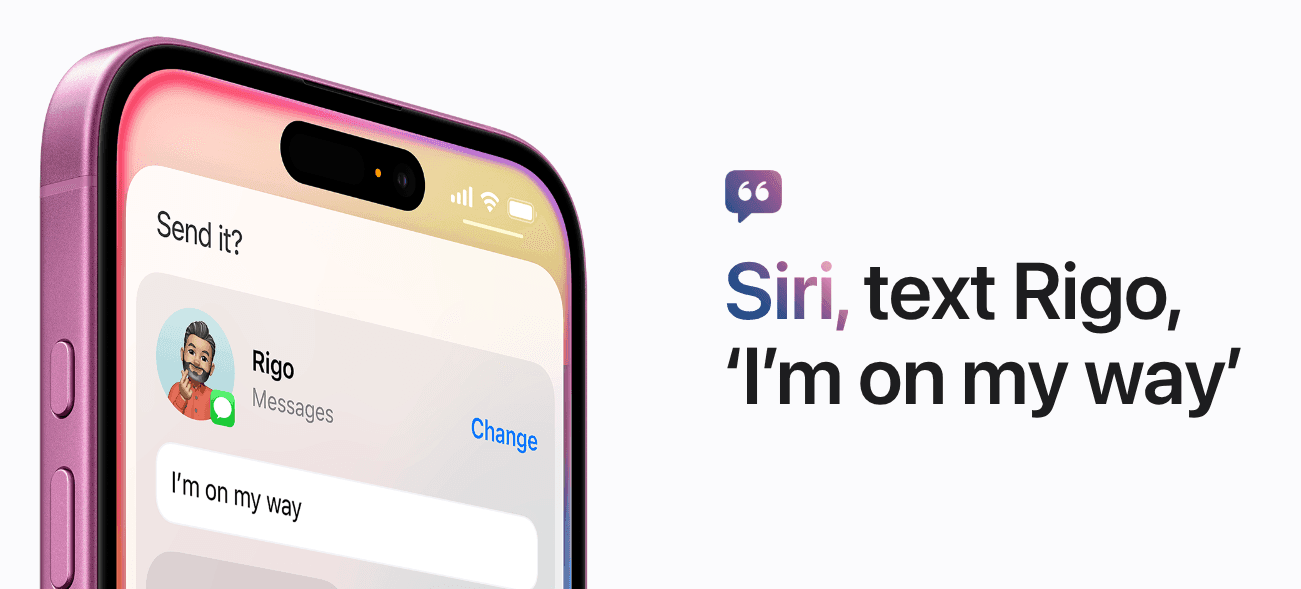
Image: Siri on the iPhone
ICE
One last important feature to consider making use of is ICE (In Case of Emergency), or the medical ID feature available on your phone. Doing this makes it easier for emergency services to contact your family and even access important medical information in the event of an emergency, such as a fall.
While you can still enter this information the old-fashioned way by entering ‘ICE’ ahead of your emergency contact’s name in your contacts app, many smartphones now include a medical ID feature to allow first responders to access important medical information such as allergies, medical conditions and medication, along with the number of your emergency contact – all without unlocking your phone.
For iPhone users
iPhone users can find Apple’s Medical ID feature in the Health app using the steps below:
- Open the Health app
- Tap your profile photo in the top right corner
- Select ‘Medical ID’
- Tap ‘Get Started’ or ‘Edit’ and enter your information in each section, pressing Done once each section is complete
- Make sure the ‘Show When Locked’ option is toggled on
For Android users
For Android users, the exact process might depend on your phone model. However, you will generally be able to add your medical details using the following steps:
- Open the Settings app
- Select ‘Safety and Emergency’
- Tap ‘Medical Info’ and enter your information
- Ensure ‘Show Info When Locked’ is toggled on
- Next, return to the ‘Safety and Emergency’ page
- Tap ‘Emergency Contacts’ and select your emergency contact
- Check that ‘Show Info When Locked’ is toggled on here too